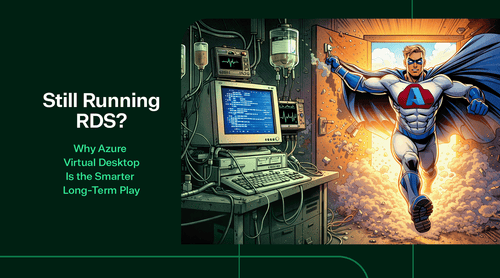
For a long time, Remote Desktop Services (RDS) has been the reliable old pickup truck of IT infrastructure. It starts every morning. It hauls what you ask it to haul. It’s been paid off for years. And everyone knows how to fix it.
But at some point, you look at the dashboard, notice the check-engine light has been on since the Obama administration, and realize you’re spending more time maintaining the truck than actually getting anywhere.
That’s where many organizations find themselves today with legacy RDS environments.
At TrustedTech, we’re witnessing a clear shift in how executives view virtual desktops. The question is no longer “Does RDS still work?” because it usually does.
The real question is: “Is this still the best way to deliver secure, scalable desktops in a modern business?”
Increasingly, the answer is no.

Here are 5 Key Points why Azure Virtual Desktop is the Smarter Play:
1. Legacy RDS still works, but it’s no longer the best fit. As organizations evaluate their infrastructure, many are actively searching for modern VDI alternatives to replace aging, inefficient systems. Traditional RDS environments are reliable but increasingly costly, complex, and risky.
2. Virtual desktops remain essential; delivery models have evolved. Despite SaaS growth, virtual desktops are still critical for non-SaaS apps, regulated data, M&A onboarding, contractor access, and hybrid work. The need hasn’t gone away—only how desktops should be delivered has changed.
3. Azure Virtual Desktop modernizes desktop delivery. AVD moves desktops to Azure, with Microsoft managing the control plane while IT controls apps and user experience. This reduces infrastructure overhead, enables secure access from anywhere, and aligns desktop delivery with modern cloud operations.
4. AVD provides major advantages over RDS in five areas:
- Scalability: Capacity adjusts to real usage, not peak guesses.
- Security: Identity-based controls (Entra ID, MFA, Conditional Access) replace fragile network defenses.
- Operations: Fewer components to manage, less “keep-the-lights-on” work.
- Resilience: Built-in Azure redundancy instead of heroic DR plans.
- Cost: Pay-for-use OpEx model instead of front-loaded CapEx .
5. The strategic question is about the next five years, not today. AVD isn’t just an RDS replacement—it’s a foundation for stronger security, future app modernization, and long-term operational simplicity. For most organizations, it offers a more sustainable path forward without forcing app rewrites or major user disruption.

What “Legacy RDS” Really Means (No Disrespect Intended)
When we talk about “legacy” RDS, we’re not criticizing anyone’s past decisions. RDS made sense for a long time. But environments built on it tend to share a few familiar traits:
- On-premises servers (or hosted infrastructure that behaves like on-prem).
- Fixed capacity that assumes everyone logs in every day, all day.
- VPNs, firewall rules, and the occasional “temporary” security exception.
- Hardware refresh cycles that arrive right when budgets are tight.
- Disaster recovery plans that are technically documented and emotionally fragile.
In executive terms, these environments typically incur higher operational costs, scale poorly, and carry hidden risks.
Or, put another way: they still work, but they’re tired.
(Dad joke warning: If your RDS environment were a phone, it would still have a headphone jack and a very strong opinion about physical keyboards.)
Why Virtual Desktop Still Matters in 2026
Every few years, someone confidently announces that “desktops are dead” and everything will be SaaS by next quarter.
Then reality shows up.
In practice, virtual desktop remains critical for many organizations because:
- Not every application is SaaS-ready, and some never will be.
- Regulated industries need tight control over where data lives.
- Mergers and acquisitions demand fast, secure user onboarding.
- Contractors and third parties need access without living on your network.
- Hybrid and remote work aren’t going away (despite a few executive emails).
Virtual desktop isn’t a legacy concept. How it’s delivered is what’s changed.

Azure Virtual Desktop, Explained Without Diagrams
Azure Virtual Desktop (AVD) is Microsoft’s modern take on virtual desktop, built for the way organizations actually operate today.
In plain English:
- The desktops run in Azure, not in your building.
- Microsoft manages the complicated control plane pieces.
- You control the desktops, applications, and user experience.
- Users connect securely from anywhere.
- IT stops running infrastructure that doesn’t add strategic value.
The end result looks familiar to users. The operational reality behind it is very different.
5 Reasons Why Executives Are Moving from RDS to Azure Virtual Desktop
1. Scaling Without Guesswork
Traditional RDS requires capacity planning. You size it for peak usage, even if that peak happens twice a year. Azure Virtual Desktop scales based on real usage:
- More users logging in? Capacity increases.
- Fewer users? Capacity scales down.
- Nights, weekends, and holidays stop costing money.
This isn’t about chasing elasticity buzzwords. It’s about not paying for idle infrastructure.
2. Security That Matches Reality
Legacy RDS security often depends on network controls:
- VPNs
- Open RDP paths (sometimes accidentally)
- Layered firewall rules that only one person fully understands
AVD shifts security to identity:
- Entra ID authentication
- Multi-factor authentication by default
- Conditional Access policies
- No inbound RDP exposure
Security teams like it. Auditors like it. Executives do not like getting surprise risk reports.
3. Fewer Moving Parts, Fewer Problems
RDS environments typically include:
- Connection brokers
- Gateways
- Licensing servers
- Load balancers
- “That one server we don’t touch”
Azure Virtual Desktop removes much of that operational overhead. Microsoft manages the brokering, gateway, and global infrastructure.
IT teams spend less time keeping the lights on and more time improving the environment.
Which is, ideally, the whole point.
4. Resilience Without Heroics
On-prem RDS resilience often relies on:
- Redundant hardware
- Secondary data centers
- Recovery plans that look great on paper
AVD benefits from Azure’s global footprint:
- Multi-region deployment options
- Native backup and recovery integration
- Designed-in fault tolerance
Outages still happen, but they’re smaller, shorter, and far less dramatic.
5. Costs That Follow Actual Usage
Legacy RDS costs are front-loaded:
- Servers
- Storage
- Licensing
- Power, cooling, and space
AVD costs are usage-based:
- Pay for compute when desktops are running.
- Scale down when they’re not.
- Optimize with reserved instances or savings plans.
This shifts spending from large capital investments to predictable operating expenses, providing finance teams with clearer visibility into what’s actually being used.
Which finance teams tend to appreciate.

RDS vs AVD: The Executive Summary
RDS asks: “How big should we build this environment?”
AVD asks: “How many people are using it right now?”
That difference alone changes how IT aligns with the business.
Migration Is a Strategy, Not a Magic Act
Moving from RDS to Azure Virtual Desktop isn’t always a lift-and-shift exercise. Successful migrations consider:
- Application behavior and performance expectations
- User profile management
- Network latency and connectivity
- Identity and directory strategy
- Licensing alignment
The good news is that these are solvable problems. The better news is that once solved, they rarely need to be revisited.
When Keeping RDS Still Makes Sense
There are cases where RDS remains reasonable:
- Very small, stable environments
- Applications nearing end-of-life
- No remote or third-party access needs
- A clearly defined retirement timeline
If none of those apply, legacy RDS often becomes technical debt disguised as stability.
Azure Virtual Desktop Is Not Just a Replacement
This is often the most overlooked part that…
AVD isn’t just a better RDS. It’s a foundation for:
- Broader Azure adoption
- Improved security posture
- Future application modernization
- Reduced long-term operational complexity
It’s not about replacing yesterday’s solution. It’s about removing friction from tomorrow’s growth.

The Real Question Decision Makers Should Be Asking
The question isn’t: “Does our RDS environment still work?”
It’s:
“Is this how we want to deliver desktops for the next five years?”
For most organizations, Azure Virtual Desktop offers a more secure, scalable, and financially sensible path forward without forcing application rewrites or dramatic user change.
At TrustedTech, we help organizations evaluate, design, and transition to modern virtual desktop environments that support the business, not just the infrastructure.
If your virtual desktop strategy feels more like maintenance than momentum, it may be time to modernize your approach.
And no, you don’t have to keep the pickup truck forever.