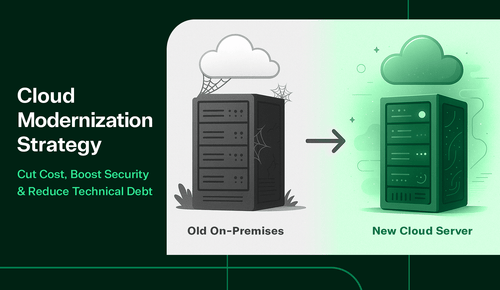
Cloud adoption is no longer the finish line, it’s the starting point. Many organizations that rushed to migrate workloads now face rising costs, fragmented governance, and underutilized tools. True transformation comes through modernization, not just migration. A well-defined cloud modernization strategy aligns architecture, security, and operations with business outcomes, unlocking agility, reducing waste, and strengthening resilience. For Microsoft environments in particular, modernization enables cloud investments to yield sustained, measurable ROI rather than short-term savings.
Key Takeaways:
- Modernization vs. Migration: Migration is a quick lift-and-shift that moves systems to the cloud with minimal changes, while modernization redesigns workloads to use cloud-native tools, automation, and governance for sustained value.
- Cost Optimization Through Discipline: Modernization reduces costs by right-sizing resources, implementing autoscaling, turning off idle infrastructure, and using tagging and budgets to make spending predictable and accountable.
- Security and Agility Improve Together: Cloud modernization strengthens security with identity controls, encryption, and automated compliance while freeing IT teams to adopt CI/CD workflows, managed services, and AI tools for faster innovation.
- Strategy Prevents Expensive Drift: Without a defined modernization strategy that encompasses governance, licensing, and operations, cloud adoption becomes a patchwork of quick fixes, leading to cost overruns, security gaps, and technical debt.
- Deferring Costs: Postponing modernization increases expenses through hardware refreshes, extended support fees, manual patching, and security vulnerabilities while competitors gain speed and innovation advantages.
Digital transformation is now table stakes. IT leaders are asked to cut spending, reduce risk, and move faster, but often without an exact headcount, while also growing their Microsoft footprint. Many teams made quick cloud moves during past budget cycles, but “lift-and-shift” alone rarely delivers sustained value. Costs drift. Security gaps appear and tooling sprawls.
A defined cloud modernization strategy solves that pattern. Instead of treating the cloud as a destination, you treat it as an operating model. You align architecture, governance, licensing, and day-to-day operations to your business goals. For Microsoft-centric environments, this is how you turn Azure, Microsoft 365, and modern workplace tools into consistent ROI, not surprise invoices.

What Is Cloud Modernization?
Cloud modernization is more than moving workloads to the cloud. It’s the process of re-architecting applications, infrastructure, and operations to fully leverage cloud-native tools, scalability, and security.
Cloud Modernization vs. Cloud Migration
It’s easy to conflate migration and modernization, but the two are different stages of the journey:
- Migration is typically a lift-and-shift of existing systems into a cloud environment with minimal change. It’s fast to start, but it can carry legacy inefficiencies into the cloud.
- Modernization redesigns workloads to use platform services, automation, and modern security. It right-sizes resources, implements governance, and eliminates technical debt that would otherwise accumulate.
Both play a role, but only modernization compounds value over time.
Why Having a Strategy Matters
A cloud modernization strategy keeps the effort grounded in business outcomes. It establishes a roadmap for identity, networking, data protection, governance, observability, and cost management so every move reduces risk and creates capacity for innovation. It also defines how your team will operate in the cloud, including who owns what, which policies apply, how changes are implemented, and how costs are managed. Without that backbone, cloud adoption becomes a patchwork of quick fixes and growing spend.

Benefits of a Cloud Modernization Strategy
When done right, modernization drives measurable outcomes aligned to executive priorities.
Cost Optimization
Modernization allows organizations to save money and make spend more predictable:
- Shift CapEx to OpEx and scale resources up or down as needed.
- Right-size or schedule compute, implement autoscaling, and turn off idle resources.
- Use tagging and budgets to align spend with departments or products.
Consider a common scenario: teams provision oversized VMs during migration to avoid outages but forget to scale them down. Months later, budgets spike unnecessarily. A modernization strategy prevents this by embedding disciplined spend frameworks, such as those recommended by the FinOps Foundation.
The quickest wins often start with cost visibility. Azure Cost Management and FinOps practices help standardize budgets, alerts, and chargebacks so costs are owned, not discovered after the fact. If you’re seeking a partner that can tune environment size and licensing together, start with TrustedTech’s cloud solutions.
Security & Compliance
Stronger security and simpler compliance are significant benefits of modernized environments:
- Strengthen identity with conditional access, MFA, and least-privilege roles
- Use cloud-native security baselines, encryption, logging, and posture management
- Map controls to your frameworks and automate evidence collection where possible
Industry standards offer additional guidance on establishing secure and compliant environments. Reputable frameworks can guide your control set and operating model. See NIST’s recommendations for secure cloud architectures and controls.
Security isn’t just about tooling; it’s about people. Reduce risk by training end-users and administrators to identify threats, handle data correctly, and respond promptly. TrustedTech’s security awareness training and email security and protection services reinforce secure behavior while you modernize identity and endpoint baselines. Build resilience with tested backup policies and immutability using backup and retention.
Agility & Innovation
Cloud modernization frees IT teams to move faster and experiment with new tools:
- Standardize CI/CD workflows and infrastructure as code
- Adopt managed services for databases, messaging, and analytics
- Bring AI, automation, and data services into daily work to improve productivity
In Microsoft environments, this means enabling collaboration and automation in Microsoft 365 and Azure, paving the way for safe adoption of Microsoft Copilot.
Scalability & Reliability
Modernization also improves stability and resilience:
- Scale elastically during seasonal peaks or launches
- Improve SLAs using availability zones, geo-redundancy, and tested failover
- Reduce mean time to recovery with standardized observability and runbooks
Many organizations harden reliability with structured landing zones, baseline policies, and resilient reference architectures. If you need hands-on help standing up those guardrails, TrustedTech’s IT environment optimizations service focuses on practical, right-sized changes that move the needle quickly.

Building a Cloud Migration Plan That Works
A great plan is tactical and iterative. It should deliver value quickly while laying the groundwork for long-term efficiency.
Assess Current Infrastructure
Every solid migration begins with visibility. Understanding what you have today makes it possible to map dependencies, reduce risk, and choose the right path forward.
- Inventory workloads and dependencies. Include data gravity, latency needs, licensing constraints, integrations, and support status.
- Classify by migration path. Some apps are ready for rehosting (lift-and-shift), others for replatforming (moving to a managed PaaS), and a subset for refactoring (becoming cloud-native).
- Quantify risk and value. Estimate effort, downtime tolerance, data protection needs, and business impact. This helps you sequence wins first.
A comprehensive assessment provides a baseline for informed decisions, such as what to move, what to modernize, and what may need replacement. Without this step, even the best migration plans are guesswork.
Define Business Objectives
Once you know your starting point, the next step is deciding what success looks like. Clear business objectives keep your plan aligned with outcomes that matter to the business.
- Establish 12–24 month outcomes (cost reduction, compliance, faster delivery).
- Tie initiatives to KPIs (spend per workload, recovery time, patch compliance).
- Prioritize migrations based on ROI and risk reduction.
By tying objectives to measurable KPIs, you can track progress, prove ROI, and build confidence across IT and leadership. Goals become the compass that guides every migration choice.
Choose the Right Cloud Model
Not every workload belongs in the same environment. Choosing between public, private, or hybrid cloud models ensures that you strike a balance between control, cost, and agility.
- Public cloud: elasticity and innovation
- Private cloud: tighter control for sensitive workloads
- Hybrid cloud: best of both, with consistent identity and networking
Selecting the right mix enables you to optimize for both security and budget while maintaining flexibility. With the proper foundation, future migrations and scaling become far simpler.
Partner With Experts
Even with a clear plan, many IT teams lack the necessary bandwidth to manage every detail independently. That’s where the right partner adds real value.
- As a Microsoft CSP partner, TrustedTech provides direct escalation paths, transparent billing, and tailored guidance.
- For execution, engage IT environment optimizations to harden identity, policy, and cost controls, and modern work implementations to operationalize Microsoft 365, Intune, and collaboration workflows.
By working with a trusted partner like TrustedTech, you gain licensing clarity, environment optimizations, and hands-on migration expertise, allowing your team to stay focused on running the business.

Risks of Delaying Modernization
Delaying modernization introduces compounding risks:
- Technical debt: older systems require more manual work and patches
- Rising costs: hardware refreshes and extended support drive expenses higher
- Security vulnerabilities: legacy systems lack modern controls
- Missed opportunities: cloud-ready competitors innovate faster
Extended support fees illustrate the actual cost of waiting. For example, organizations that postponed upgrading Windows Server 2012 faced expensive Extended Security Updates (ESUs) from Microsoft.
Those dollars could have been invested in modernization instead. Independent research also supports this finding. The U.S. GAO has shown that delaying cloud adoption often increases long-term costs and leaves organizations struggling to achieve expected savings.
What This Means for IT Leaders
Use this checklist to evaluate readiness:
- Do we have a documented cloud modernization strategy in place?
- Is a clear cloud migration plan in place?
- Are we capturing the benefits of cloud modernization (cost, security, agility)?
- Are we optimizing licensing with a Microsoft CSP partner?
- Are our teams supported with security awareness training?
- Are we regularly measuring cloud ROI to demonstrate business value?
If most of these answers aren’t “yes,” it’s time to act. Start small, build momentum, and scale improvements as your environment matures.
Turn Cloud into a Competitive Advantage
Cloud modernization enables IT to become a growth driver instead of a cost center. It turns one-time migrations into a durable operating model that saves money, tightens security, and accelerates delivery.
TrustedTech meets teams where they are. Whether you need an assessment, right-sized architecture, or help operationalizing Azure and Microsoft 365, our experts act as an extension of your team.
Request an Express Quote today and see how TrustedTech can simplify your cloud modernization journey.