
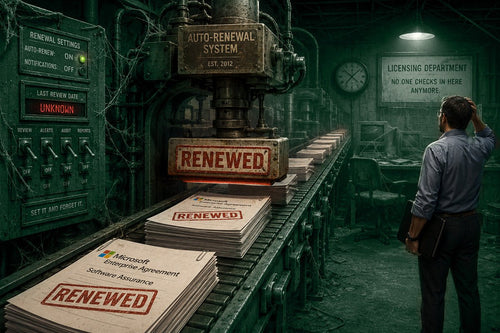
If your organization renews Software Assurance every year without checking whether you’re using what it buys, run the six-question audit below before your next renewal. In our experience reviewing on-premise licensing agreements, the most common finding isn’t fraud or bad faith; it’s an agreement that has been auto-renewing since before the current IT team was in place, carrying entitlements nobody has re-evaluated in years.
Software Assurance (SA) is one of the most common licensing blind spots in on-premise environments precisely because it’s easy to renew and hard to audit. This guide explains the three major benefits of purchasing SA. We can then look into self-audits to prepare you for the next renewal cycle. Finally, we can check the math via real-world examples. If you manage Windows Server, SQL Server, or Office perpetual licenses under a volume agreement, this is worth your time before you sign the next renewal.
What Does Software Assurance Actually Include?
Software Assurance is an add-on to volume-licensed perpetual products (Open Value, Enterprise Agreement, MPSA), layered on top of the base license rather than being the license itself. That distinction matters: it’s easy to assume you’re paying for the software when you’re really paying for a bundle of extra entitlements that only create value if you use them.
The core SA benefits are:
- License mobility - the right to move licenses between servers, including into virtualized or hosted environments, without repurchasing.
- Upgrade rights - access to the next product version at no additional cost during the SA term, rather than buying a new license outright.
- Ancillary benefits - training vouchers, planning services, and cold backup rights, depending on the product.
None of these is worthless in the abstract. But each is conditional on actual use: mobility rights only pay off if you move licenses, upgrade rights only pay off if you upgrade. In practice, we see the most SA waste in environments where the server footprint has been static for years: same hardware, same version, no migration or upgrade on the roadmap. In that scenario, SA is a recurring cost with no corresponding activity to justify it.
What a 3-Year SA Renewal Actually Costs at Scale
To show a great example of what Software Assurance can run a company, take a look at this SA-inclusive licensing for a mid-size server environment, based on real (anonymized) Microsoft volume pricing from a 2025 quote we reviewed:
| Line item | Quantity | Unit price (post-discount) | Line total |
|---|---|---|---|
| Windows Server Standard, 16-core, + 3-yr SA | 100 hosts | ~$1,445 | ~$144,500 |
| Windows Server Device CAL + 3-yr SA | 2,000 CALs | ~$49 | ~$98,600 |
| Windows Server RDS User CAL + 3-yr SA | 500 CALs | ~$192 | ~$96,000 |
| Total, 3-year term | ~$339,000 |
Figures are drawn from an actual multi-line Microsoft volume quote, anonymized here to illustrate scale and current market pricing. Treat them as representative of what a comparable environment would pay, not as a quote for your specific configuration; actual pricing depends on your agreement type, discount tier, and current Microsoft promotions.
Every line item above bundles in upgrade and downgrade rights as part of the SA renewal. That’s over $339,000 committed for a 3-year term, during which the value of those rights depends entirely on whether the organization actually exercises them. Multiply that by however many servers, CALs, and application layers are in your environment, and it becomes clear why this audit is worth doing before signing, not after.
The Self-Audit: Six Questions to Ask Before Your Next Renewal
1. Have you moved a license between servers or into a virtual/cloud environment in the last 12 months?
If the answer is no, and there’s no concrete plan to, license mobility isn’t generating value for you right now.
2. Is there a version upgrade on your roadmap in the current SA term?
Upgrade rights only pay for themselves if you’re actually upgrading. If your Windows Server or SQL Server instance has run the same version for several years with no upgrade planned, you’re pre-paying for something you haven’t scheduled.
3. Who set up this agreement, and are they still with the organization?
This is the question that surfaces the most SA waste in our experience. Agreements frequently outlive the person who negotiated them. If current IT leadership inherited the environment rather than built it, there’s a real chance nobody has re-evaluated whether the original justification for SA still applies.
4. When was the last time someone reviewed the actual usage?
If the answer is “I have no idea”, or “not since it was signed,” that’s your signal to act. Letting the auto-renew execute because it’s convenient is exactly how spending can spiral into the six-figure range.
5. Are you using SA to justify keeping Enterprise-tier licensing you might not need?
This is a related but separate trap: SA renewal decisions sometimes get bundled with edition decisions (staying on SQL Server Enterprise, for example) without either being questioned independently. Rightsizing the edition and rightsizing SA are two distinct savings opportunities, and conflating them could mean you fix one and miss the other.
6. Has your environment changed (more users, more cores, new applications) since the agreement was last evaluated?
Growth is a legitimate reason to keep or add SA. But it should be a deliberate decision based on the current state, not an assumption carried forward from the last renewal cycle.
If you answered “no” or “not sure” to three or more of these, it’s worth having someone independent from the original purchasing decision take a look.
What SA Waste Looks Like in Practice
We’ve seen this exact pattern with an active customer who initially engaged TrustedTech for Microsoft 365 and Azure licensing. During onboarding, it came to light that the organization also had a significant on-premise environment that had been auto-renewing for years. The person who originally set it up had since left the company, leaving the new IT leader to inherit purchasing decisions nobody currently on the team had made or reviewed. (This example is a composite drawn from patterns we see across multiple client engagements, not a single identifiable account.)
A licensing review found the agreement had been renewing Software Assurance rights that weren’t tied to any active mobility or upgrade plans. Between that and consolidating a few other redundancies, the organization recovered $100,000, which was then reinvested in modernizing its Microsoft 365 and Azure environment rather than funding an unused entitlement.
The point isn’t that Software Assurance is bad. It’s that nobody had asked, in years, whether it still made sense for that specific environment.
When Software Assurance Is Worth Keeping
SA isn’t something to reflexively cancel. It earns its cost when:
- You are currently virtualizing workloads or plan to within the SA term.
- A version upgrade is on the calendar, and buying it standalone would cost more than the SA renewal.
- Your organization is scaling in ways that make mobility rights genuinely useful: multi-site deployments, disaster recovery builds, and datacenter consolidation.
- You’re using the training or planning services benefits bundled in.
The goal of this audit isn’t to strip every SA line item from your renewal. It’s to confirm each one is there because it’s doing something for you, not because it’s always been there.
What a Licensing Review Adds Beyond This Checklist
A simple self-audit will catch the obvious gaps. What it won’t catch as easily is how SA interacts with your specific agreement type. Open Value versus Enterprise Agreement, and MPSA, each handles SA renewal and true-up timing differently. The mobility and downgrade rights that survive a transition between agreement types aren’t always intuitive. If you’re also sitting on aging on-premise software, it’s a great idea to audit what’s actually driving your Windows Server licensing costs alongside the Software Assurance audit above. Server edition and SA decisions often get made together when they should be evaluated separately.
If Device CALs or RDS CALs are part of what’s under this agreement, as they were in the cost scenario above, it’s also worth confirming you have the right CAL type for how people are actually accessing your servers; User CALs and Device CALs aren’t interchangeable, and mismatches are another common source of overspend layered on top of unused SA.
And if your SQL Server environment is part of this agreement, the edition question deserves a second look, too: Enterprise licensing costs roughly five times what Standard costs per core, and plenty of environments running Enterprise today would run fine on Standard.
Frequently Asked Questions
If I cancel Software Assurance, what will I lose?
You will keep the perpetual license and the right to use that software. SA is an add-on. What will be lost, though, are these two items. First is the ability to upgrade to the next version for free. Second is the mobility rights to move licenses between environments without repurchasing. If neither applies to your near-term plans, canceling doesn’t cost you functionality you’re currently using.
Can I cancel Software Assurance mid-term, or only at renewal?
This depends on your agreement type and Microsoft’s current terms for that program. In most cases, the practical decision point is at your renewal date rather than mid-term, which is exactly why this audit is worth doing before that date arrives rather than after.
What happens to Software Assurance if we move from an Enterprise Agreement to CSP?
SA benefits don’t automatically carry over in the same form. Some legacy on-premises rights under an EA may not transfer directly to a CSP agreement, so this should be mapped out specifically as part of any EA-to-CSP transition plan.
How do I know if we’re actually using our license mobility rights?
Check whether any licenses have physically moved, from one server to another, into a hosting environment, or into a virtualized instance, during the current SA term. If the answer is zero, mobility rights have gone unused for that period.
Is it common for organizations to be over-licensed on Software Assurance?
It’s common enough that we treat it as a standard checkpoint in every on-premise licensing review we run, particularly for organizations where the original purchasing decision predates the current IT leadership.
Getting a Second Opinion
If you went through this checklist and you’re still not sure where you stand, that’s normal; SA terms interact with agreement type, edition, and usage in ways that aren’t always obvious from the renewal notice alone. As a Microsoft Solutions Partner holding all six Solutions Partner designations, TrustedTech’s licensing team runs on-premise licensing reviews as a standard part of helping organizations optimize their Microsoft spend, and it costs nothing to find out whether your next renewal is buying you something you’ll actually use. Schedule a no-commitment consultation with our licensing advisors to have your agreement reviewed.