In the modern cybersecurity landscape, "feeling" secure is no longer enough. For IT leaders and CISOs, the ability to quantify risk is the difference between a proactive defense and a catastrophic breach. As we close out 2025, the Microsoft Secure Score has evolved into more than just a dashboard; it has become a critical benchmark for business value, cyber insurance eligibility, and operational excellence.
What Is Microsoft Secure Score?
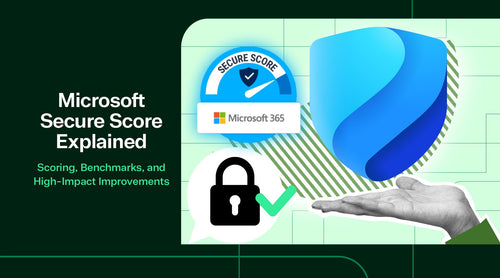
Microsoft Secure Score is a measurement of an organization's security posture, with a higher number indicating that more recommended actions have been taken. It functions as a centralized summary within the Microsoft Defender portal, evaluating your Microsoft 365 identities, data, devices, apps, and infrastructure.
The Purpose of Secure Score
The primary goal is to provide visibility and guidance. It moves security from a vague concept to a prioritized list of "Improvement Actions." Analyzing your tenant configuration and comparing it to Microsoft's best practices provides a real-time health check of your digital estate.
Types of Scores: Secure vs Compliance vs Risk
Secure Score doesn’t just examine settings; it also analyzes user behavior and entity telemetry. It is important to distinguish it from other metrics:
Secure Score: Focuses on configuration and posture.
Compliance Score: Focuses on regulatory requirements (like GDPR or HIPAA).
Risk Score: Usually refers to individual user or device risk levels within Defender.

How Microsoft Secure Score Is Calculated
Understanding the "math" behind the score helps you prioritize your efforts effectively. Microsoft employs a point-based system, where each security recommendation is assigned a numerical value based on its potential to mitigate risk.
Weighted Actions & Categories
Not all actions are equal. Enabling Multi-Factor Authentication (MFA) yields a significantly higher point value than changing a minor SharePoint setting, as MFA addresses a more substantial portion of the attack surface. The score is broken down into five key pillars:
- Identity: Accounts, roles, and authentication.
- Device: Endpoint security and compliance.
- App: Cloud app security and API permissions.
- Data: Information protection and governance.
- Cloud: Infrastructure hygiene (Azure resources).
Verification Types
- Automatic: Microsoft detects you’ve turned on a feature and awards points instantly.
- Manual: For certain third-party or physical controls, you must manually mark the action as "resolved through third party" to receive the points.
How to Access Your Microsoft Secure Score
To view your score, navigate to the Microsoft Defender portal and locate the "Secure Score" tab under the "Assessment" section.
Access and Roles Access is restricted to specific roles to ensure security and maintain confidentiality. You will need one of the following Entra ID (formerly Azure AD) roles:
- Global Administrator
- Security Administrator
- Security Reader (View only)
From the dashboard, you can export reports to CSV or PDF formats, which is essential for presenting progress to stakeholders or auditors during quarterly business reviews.

Five Ways to Improve Your Microsoft Secure Score
Improving your score isn't about checking every box; it’s about addressing the high-impact areas first.
1. Identity Protection (Highest Impact Area) - Identity is the new perimeter. If an attacker gains an admin's credentials, your firewall doesn't matter.
- Enable MFA for all users: This is the single most effective way to raise your score.
- Disable Legacy Authentication: Protocols like POP3 and IMAP don't support MFA and are frequent targets for "password spraying" attacks.
- Conditional Access (CA): Use CA policies to ensure that users can only access data from known locations or compliant devices.
2. Device & Endpoint Security
- Intune Compliance: Ensure devices meet minimum OS versions and encryption standards before granting access.
- Security Baselines: Apply Microsoft’s pre-configured security baselines for Windows and Edge to instantly close common vulnerabilities.
-
3. Email & Collaboration Security - Email remains the leading vector for ransomware.
- Safe Links & Safe Attachments: These Defender for Office 365 features "detonate" links and files in a sandbox environment before they reach the user's inbox.
4. Data Protection & Governance
- Sensitivity Labels: Classify and encrypt data so that even if a file is leaked or sent to the wrong person, it remains unreadable to unauthorized users.
5. Privileged Access Hardening
- Privileged Identity Management (PIM): Move away from "Permanent Admins." With PIM, users are only granted admin rights for a specific window of time (Just-In-Time access) after providing a justification.
Which Actions Impact Your Secure Score
To help your team get started, here are the most critical actions categorized by impact:
| Feature Area | Action | Impact |
|---|---|---|
| Identity | Enable MFA for all users | ⭐⭐⭐⭐⭐ |
| Identity | Disable legacy authentication | ⭐⭐⭐⭐⭐ |
| Identity | Conditional Access policies | ⭐⭐⭐⭐⭐ |
| Identity | PIM / JIT access | ⭐⭐⭐⭐ |
| Identity | Risk-based sign-in policies | ⭐⭐⭐⭐ |
| Devices | Require Device compliance | ⭐⭐⭐⭐⭐ |
| Devices | Apply Security baselines | ⭐⭐⭐⭐⭐ |
| Devices | Deploy Defender for Endpoint | ⭐⭐⭐⭐ |
| Enable Safe Attachments | ⭐⭐⭐⭐⭐ | |
| Anti-Phishing policies | ⭐⭐⭐⭐⭐ | |
| Safe Links (URL Scanning) | ⭐⭐⭐⭐ | |
| Data | Enable DLP policies | ⭐⭐⭐⭐ |
| Data | Sensitivity labels & Encryption | ⭐⭐⭐⭐ |
| Cloud | App governance & OAuth monitoring | ⭐⭐⭐⭐ |
Microsoft Secure Score vs. Azure Secure Score
It is common to confuse Microsoft Secure Score (found in Defender) with Azure Secure Score (found in Microsoft Defender for Cloud).
- Microsoft Secure Score: Focused on SaaS (M365, Teams, SharePoint, Identity).
- Azure Secure Score: Focused on IaaS and PaaS (Virtual Machines, SQL Databases, Storage Accounts).
If your organization uses cloud workloads, both considerations are important. A high M365 score won't protect you if your Azure SQL database is publicly accessible without a firewall.

Benchmarks: What Is a “Good” Secure Score?
A "perfect" score of 100% is rarely the goal. Security is a balance between protection and productivity.
- Industry Averages: Most mid-market companies operate within a range of 40% to 60%.
- High Maturity: Organizations with strict regulatory requirements (e.g., Finance, Healthcare) should aim for 75% or higher.
- The Goal: Rather than a specific number, focus on continuous improvement. A score that trends upward over time proves to stakeholders that the security team is actively managing risk.
Cyber Insurance & Secure Score
In 2025, cyber insurance carriers have become incredibly strict. Many now use Secure Score data during the underwriting process.
Premium Reduction: Demonstrating a high Secure Score (specifically in MFA and Data Protection) can lead to lower premiums.
Claims Validation: In the event of a breach, insurers may check if your "stated" security (e.g., "We use MFA") matches your actual Secure Score history.

Step-by-Step Guide to Increasing Your Score
- Access the Dashboard: Log in to the Microsoft Defender portal.
- Review Improvement Actions: Sort the list by "Score Impact."
- Identify "Quick Wins": Look for actions that provide high value with minimal user impact (e.g., enabling Audit Logging).
- Implement & Test: Pilot changes (like MFA or CA policies) with a small group before a global rollout.
- Validate: Check the "History" tab in Secure Score to ensure that the points were awarded correctly.
- Document: Use the "Notes" section in each action to explain why certain items are "Ignored" or "Resolved through third party."
Direction over Perfection
The Microsoft Secure Score provides direction, not perfection. It is a roadmap for reducing your attack surface and making your organization a "hard target." Incremental, weekly improvements to your Identity, Device, and Data posture enable you to significantly reduce the likelihood of a successful breach.