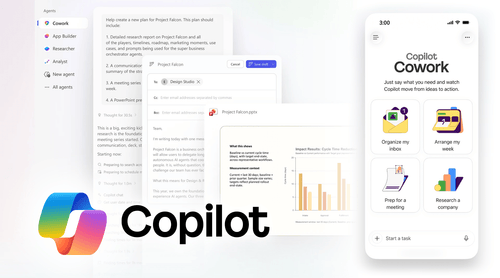
People who used Cowork during the Frontier preview largely liked it. The complaint isn’t about quality. It’s about whether consumption-based pricing on top of an existing $30/user/month license is a cost organizations can actually justify, and for which teams, and for which tasks.
This post works through that calculation. The answer is yes for some roles and some workflows, and no for others. Knowing which side your users fall on is the whole job.
As a Microsoft CSP Direct Bill Partner and Solutions Partner, TrustedTech works through these licensing decisions with organizations regularly. What follows draws on that work alongside Microsoft’s own Copilot Credits Guide (June 2026), the GA announcement, and the conversations happening in IT communities since launch.
How Copilot Cowork Is Actually Billed
Getting this wrong causes every downstream budget problem.
Cowork requires the Microsoft 365 Copilot User Subscription License (USL): the $30/user/month seat that covers Copilot Chat and Copilot in Word, Excel, Outlook, Teams, and PowerPoint. If your organization is already licensed for M365 Copilot, that cost is already on the books. Cowork doesn’t replace or change it. If you haven’t evaluated whether the base M365 Copilot license justifies its cost first, our breakdown of Copilot’s $30 seat is the right starting point.
On top of that seat, every task Cowork executes draws from a pool of Copilot Credits. Per Microsoft’s official Credits Guide, one credit costs $0.01 under pay-as-you-go. Credits are pooled at the tenant level and governed centrally through the M365 Admin Center.
Each task’s credit consumption scales across four cost drivers, per the Credits Guide:
Models. The AI models selected for each step. More complex reasoning on frontier models costs more than lighter tasks on efficient models. At GA, Cowork runs on Anthropic Opus 4.8 and Sonnet 4.6. Microsoft’s Cowork 1, a fine-tuned model designed for everyday tasks at substantially lower cost, releases in the weeks following GA.
Runtime. The cloud orchestration that keeps agents running, including long-running work that continues after you close your laptop.
Context. Retrieval of signals from emails, files, meetings, calendar, and past interactions through Work IQ, Microsoft’s workplace intelligence layer.
Tools. The actions Cowork executes: sending emails, updating documents, scheduling meetings, posting to Teams.
Microsoft’s Credits Guide translates this into three task tiers. These are planning estimates, not guaranteed billing rates, and actual costs vary by workflow:
| Task type | Example | Illustrative credits | Approx. cost (PayGo) |
|---|---|---|---|
| Light | Weekly status update drafted from calendar and priorities, saved as draft | 70–200 credits | $0.70–$2.00 |
| Medium | Customer meeting prep: emails, calendar, CRM, and files into a briefing doc | 400–600 credits | $4.00–$6.00 |
| Heavy | Analyze 6 months of product usage data, produce leadership-ready analysis | 1,500+ credits | $15.00+ |
Source: Microsoft Copilot Credits Guide, June 2026. Figures are illustrative planning estimates based on Anthropic Opus 4.8. Actual costs vary by task complexity and model selection.
Two billing options are available. Pay-as-you-go charges $0.01 per credit in arrears with no upfront commitment, suited to organizations still learning their usage patterns. The Copilot Credit Pre-Purchase Plan (P3) is a one-year prepaid pool with volume discounts from 5% at 300,000 credits up to 20% at 300 million credits. The Credits Guide states this plainly: unused P3 credits expire at end of term. Committing to prepaid before you understand your actual consumption is a real financial risk.
One more thing worth knowing: Copilot Credits are shared across Cowork, Copilot Studio, Dynamics 365 agents, Power Platform workloads, and Work IQ APIs. If your organization uses any of those services, size for total AI consumption, not Cowork in isolation.
The ROI Calculation by Role
There is no single Cowork ROI figure for an organization. The calculation runs at the role level, and it depends on three variables: how often a user runs Cowork tasks, what those tasks cost in credits, and how much time they displace. Microsoft identified four user personas from Frontier-program data. Running the math against each is the most useful way to scope a deployment.
Corporate Knowledge Workers
These are the email-heavy, coordination-heavy roles: project managers, operations staff, analysts with recurring reporting cycles. Meeting prep, weekly status reports, and inbox synthesis fit Cowork well because the same workflow repeats across different inputs. Microsoft’s Credits Guide example is a weekly status update at 70–200 credits, roughly $0.70–$2.00. Run that every Monday and the monthly cost is under $10.
Meeting prep is where this persona’s ROI case gets more concrete. Pulling together relevant emails, calendar context, and file history into a structured brief runs 400–600 credits ($4–$6) per meeting. A knowledge worker who spends 30–40 minutes manually on that same task, at a $40–$50 fully loaded hourly rate, is spending $20–$33 in labor. The credit cost clears that threshold easily.
Where this persona runs into trouble is on ad-hoc, one-off tasks. Quick email drafts, short summaries, single-document lookups belong in Copilot Chat, which is included in the USL at no extra cost. Understanding the actual difference between Copilot Chat and M365 Copilot matters here. The temptation to route everything through Cowork because it’s capable is exactly where monthly credit bills get out of hand.
Management and Senior Leaders
The ROI case here is the strongest, but it requires the most trust in outputs. Leaders delegate tasks that pull from multiple sources: pipeline reviews combining CRM, email, and meeting notes; executive briefings synthesized from many documents; decision prep aggregating across teams. These run in the medium-to-heavy credit range, $4–$15 or more per task, but they displace 45–90 minutes of synthesis work at the highest hourly rates in the organization.
A $10 credit spend that saves a senior director 60 minutes at a $75 fully loaded hourly rate recovers $65 in time. The arithmetic is straightforward. What’s less straightforward is whether the output is reliable enough to act on without extensive review, which comes back to data environment quality.
Customer-Facing Knowledge Workers
Account managers, sales reps, and client success teams running repeated account briefings are a natural Cowork fit. The task is structurally identical across accounts: pull recent emails, Teams messages, calendar context, and files; produce a meeting brief. That runs 400–600 credits per account. A rep managing 20 active accounts and prepping for two meetings a week spends roughly $40–$60/month in credits and displaces several hours of manual preparation.
Predictability is what makes this persona a good pilot starting point. Unlike ad-hoc synthesis, account prep is a fixed workflow with a knowable frequency. For teams preparing physical sales materials or event handouts, it can also help standardize small but important details, such as when to use scannable codes and how to explain the differences between data matrix and QR in customer-facing documents. The monthly cost can be modeled accurately before anyone flips a switch, which makes the business case easier to bring to finance.
Technical Workers
Engineers and analysts doing periodic heavy work, such as large file set comparisons, dependency mapping, and synthesizing research across hundreds of documents, can see the highest ROI per task, though these are the most credit-intensive. Microsoft’s GA announcement described an engineering team using Cowork to compare nearly four thousand files across two product versions, work that had previously taken weeks. At even $30 in credits, the ROI is clear.
The caution here is frequency. A monthly heavy task at $15–$30 is straightforward to justify. A daily heavy workflow at those rates adds $300–$600/user/month in credits on top of the $30 USL. That needs to be modeled explicitly before enabling Cowork broadly for technical teams.
When to Stay in Copilot Chat
Not every task belongs in Cowork. Copilot Chat is included in the M365 Copilot USL at no additional cost and handles single-turn interactions well: quick drafts, short summaries, one-source lookups. The decision rule is this: if a task requires pulling from more than one data source, runs longer than a few minutes, or produces a structured deliverable, Cowork is the right tool. If Chat handles it adequately, use Chat and keep the credits.
The Break-Even Formula
Before enabling Cowork for any group, run this check: (Time saved per task in hours) × (fully loaded hourly cost for that role) should exceed the credit cost per task.
A customer-facing rep at $35/hour saving 40 minutes on account prep: 40 minutes × ($35/hr) = $23.33 in recovered time, against a $5 credit spend. That’s 4.7x return on a single task. Twice a week across 50 reps and the aggregate case is hard to argue against.
The formula fails in three situations: when tasks are short enough that Chat handles them at no additional cost; when outputs require so much review that time savings are negligible; and when task frequency drives monthly credit spend close to or above the labor cost it displaces. Task scoping before deployment prevents the third problem. Without it, organizations collect a credit bill that doesn’t correspond to any measurable time savings, which is exactly the outcome the IT community is worried about.
Why Your M365 Environment Determines Whether This Works
Most Cowork ROI articles skip this. It’s the most important point.
Cowork grounds every task in Work IQ, which retrieves context from emails, files, meetings, calendar, and organizational history. The quality of what Cowork produces is a direct function of the quality of that underlying data. A well-organized SharePoint environment with clean permissions produces a useful deliverable. An environment with outdated files, sprawling sharing settings, and undisciplined content management produces an unreliable output at the same credit cost.
In TrustedTech’s work with organizations deploying M365 Copilot, this is the leading cause of adoption failure. Teams enable Copilot or Cowork into an environment that wasn’t prepared, see inconsistent outputs, and conclude the product doesn’t work. The product works. The data environment isn’t supporting it.
The community objection “we haven’t seen ROI from standard M365 Copilot yet” almost always traces back to this issue rather than to capability limitations. Enabling Cowork into the same unprepared environment adds consumption billing on top of an already-underperforming foundation. That’s the pattern behind the stories about credit bills with nothing to show for them.
TrustedTech’s Copilot Readiness Assessment evaluates whether an organization’s M365 environment is prepared to support AI workloads before licensing decisions are made. For organizations considering Cowork, it’s the logical first step: it identifies the SharePoint governance, permission cleanup, and data hygiene work that will determine whether Cowork performs before any credits are committed.
Governance Before You Enable Anything
Cowork is disabled by default in every tenant. That’s a deliberate design decision, and admins should treat the default-off state as the framework for deployment, not an obstacle to work around quickly.
Per Microsoft’s Credits Guide, all Copilot Credit usage is centrally managed through the M365 Admin Center. Admins can monitor spend, configure spend policies, define usage thresholds, and manage credit allocation across the organization. The controls exist. The question is whether they’re configured before access opens.
A sensible first deployment: start with 10–20 users across two or three personas most likely to generate clear ROI. Customer-facing reps and one management team are a reasonable starting point. Set a per-user credit cap before enabling access, something in the $75–$100/month range, which gives users meaningful Cowork capacity while preventing any single runaway pattern from producing a bill nobody approved. Configure alerts at 50% and 80% of that cap.
Run the pilot for 30 days. The M365 Admin Center usage reporting shows spend by user, group, and feature. The first month’s data tells you what tasks users are actually running, what those tasks cost, and whether time savings show up in observable workflow changes. That calibration is what makes the second-month decision, whether to expand, hold, or adjust scope, defensible to finance and leadership.
One timing note: organizations with users in the Frontier program between March 30 and June 16 have a billing grace period through July 1, 2026. Per the Credits Guide, those tenants are not billed until July 1. That window is for setting up governance controls and understanding actual usage, not for additional free consumption.
On prepaid credits: the Credits Guide is explicit that P3 credits expire at end of term. Start on pay-as-you-go for at least 60–90 days to establish real consumption patterns before committing to a prepaid volume at any tier. A discount you can’t consume before expiry is a loss, not a savings.
Purchasing Copilot Credits Through a CSP Partner
Microsoft’s Credits Guide lists the CSP program as an official purchasing channel for Copilot Credits, alongside direct Microsoft Online purchasing. For organizations already managing M365 licensing through a CSP partner, credits can be provisioned, billed, and supported through the same relationship. The per-seat USL and the consumption credits don’t need to be managed through separate procurement channels, which simplifies both invoicing and governance visibility.
Frequently Asked Questions
Q. Does Copilot Cowork cost extra on top of my Microsoft 365 Copilot license?
Yes. Cowork requires an active M365 Copilot USL, and task execution is billed separately in Copilot Credits at $0.01/credit. Per Microsoft’s official Copilot Credits Guide, no Cowork credit entitlements are included with the M365 Copilot subscription. The two costs are separate budget lines.
Q. How much does a typical Cowork task actually cost?
Per Microsoft’s Copilot Credits Guide (June 2026): light tasks run 70–200 credits ($0.70–$2.00), medium tasks 400–600 credits ($4–$6), and heavy tasks 1,500 or more credits ($15+). These are planning estimates based on Anthropic Opus 4.8. Actual costs vary by workflow and model selection, and will decrease when Microsoft’s Cowork 1 model releases.
Q. What’s the practical difference between Copilot Chat and Copilot Cowork?
Copilot Chat is included in the M365 Copilot USL at no extra cost. It handles single-turn interactions: quick drafts, summaries, one-source lookups. Cowork is a separate execution layer billed on consumption that runs multi-step workflows autonomously across your M365 environment. If Chat handles a task adequately, that’s the right tool. If a task requires pulling from multiple data sources, runs longer than a few minutes, or produces a structured deliverable, that’s Cowork.
Q. How do I prevent Cowork spending from getting out of control?
Three steps before opening access: enable Cowork only for a scoped pilot group; set per-user spending limits and threshold alerts in the M365 Admin Center; review usage reporting weekly in the first 30 days. Cowork is off by default, and the cost management infrastructure Microsoft built is capable, provided it’s configured before users start running tasks.
Q. Should we buy prepaid Copilot Credits or pay-as-you-go?
Start on pay-as-you-go. P3 prepaid offers volume discounts from 5% to 20% depending on commitment size, but Microsoft’s Credits Guide states unused credits expire at end of term. Without 60–90 days of real usage data, sizing a prepaid commitment accurately isn’t possible. Committing to a prepaid pool before understanding actual consumption is a financial risk, not a savings strategy.
Q. Do we need Microsoft 365 E7 to use Cowork?
No. Cowork is available to any user with an active M365 Copilot USL. E7 is the Frontier Suite that bundles Copilot with E5 at a package price, one path to the Copilot USL but not the only one.
Q. Can we buy Copilot Credits through a CSP partner?
Yes. Microsoft’s Copilot Credits Guide lists the CSP program as an official purchasing channel. Organizations managing M365 licensing through a CSP can provision and manage credits through the same partner relationship.
The Bottom Line
Copilot Cowork works. Frontier adoption was the fastest of any feature Microsoft has shipped in that program, and the user satisfaction data backs it up. The concern isn’t product quality. It’s whether the consumption model is justifiable for your specific user mix.
For senior leaders, customer-facing workers with recurring account prep, and technical teams doing periodic heavy analysis, the ROI math clears the bar. For knowledge workers running light, one-off tasks, Copilot Chat is the right tool and it doesn’t add to the bill.
The organizations that see strong results start with a clean M365 data environment, scope deployment by persona, and set governance controls before the first credit is spent. The ones that don’t will generate a bill with nothing to show for it. That gap comes down almost entirely to preparation, not to the product itself.
If you want an independent view of whether your M365 environment is set up to get value from Cowork, TrustedTech’s Copilot Readiness Assessment delivers that in under two weeks, before any licensing spend is committed.