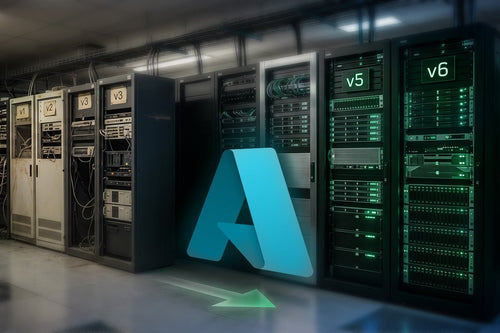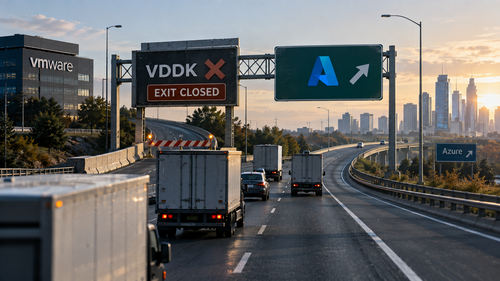
If you have followed VMware since the Broadcom acquisition, you may have noticed a pattern. And by “pattern,” I mean the sort of pattern my five-year-old creates when she finds a permanent marker and a freshly painted wall.
Broadcom makes a change. VMware customers get angry. Partners scramble to explain it. Everyone updates their migration plans. Then, a few months later, we do it again.
The latest episode involves something most VMware customers probably never knew existed: the VMware Virtual Disk Development Kit, better known as VDDK.
That sounds like the kind of thing you would find buried three folders deep inside a developer SDK. That is accurate. It is also rather important.
So What Exactly Is VDDK?
VDDK is a set of libraries that allows software to access VMware virtual disks. That makes it useful for backup, recovery, replication, cloning, and perhaps somewhat inconveniently for Broadcom migration.
A number of migration platforms have relied on it. Microsoft Azure Migrate uses VDDK as part of its agentless VMware migration process. Red Hat’s Migration Toolkit for Virtualization uses it. Nutanix Move has used it. Other tools designed to move VMware workloads to KVM-based platforms have depended on it as well.
For Azure Migrate, VDDK has helped make VMware migration fairly painless. Deploy the Azure Migrate appliance, provide access to vCenter, allow Azure Migrate to discover the environment, and replicate the virtual machines without installing migration agents inside every guest operating system.
That is why the recent change matters.
Broadcom has stopped making VDDK available through the normal public download process. Red Hat confirmed in late August that the previous public links were no longer working and that customers were receiving “not found” or “access denied” errors. Because VDDK remains Broadcom proprietary software, vendors such as Red Hat cannot simply host their own copies for customers.
Broadcom later clarified that VDDK itself has not disappeared. Access remains available to select Technology Alliance Partners for licensed uses such as backup and recovery. Broadcom has also argued that VDDK was never intended as a general customer entitlement for migrations.
Technically, that is an explanation.
It is also a little like removing the stairs from a hotel and explaining that the stairs were never technically included with your room.
Helpful clarification.
Another Day, Another VMware Surprise
Taken by itself, restricting VDDK access might look like a fairly boring licensing change. Developer kit. License agreement. Partner program. Nothing exciting here.
But VMware customers do not get to look at this decision in isolation.
Since acquiring VMware, Broadcom has made major changes to VMware’s licensing, packaging, product bundles, partner ecosystem, support model, and pricing. Perpetual licenses have given way to subscriptions. Products have been consolidated into larger bundles. Partners have been removed or reclassified. Customers ranging from small businesses to large enterprises have spent the last several years trying to understand what they will be buying at their next renewal and what it will cost.
Each one of those choices can be explained as a business decision.
Taken together, however, they have created a trust problem.
Now we have another change, and this one happens to make a common method of migrating away from VMware harder to use.
You can understand why customers might raise an eyebrow. Possibly both eyebrows. Possibly an eyebrow belonging to the person sitting next to them.
The optics are not great.
Congratulations, We Have Invented the VMware Streisand Effect
Broadcom’s stated goal may simply be to control the distribution and licensed use of its software. But the practical result could be much different.
People are talking about VMware migrations again.
A lot.
Technology publications are covering VDDK. Migration vendors are discussing alternatives. VMware competitors are reminding customers about their migration tools. Consultants are publishing guidance on other ways to get workloads out. Customers who had planned to tolerate another renewal cycle are asking whether they should start working on an exit plan.
This is basically the infrastructure version of the Streisand Effect.
Try to make one path out of VMware harder to use, and suddenly everyone wants to talk about leaving VMware.
More importantly, removing public access to VDDK does not stop customers from leaving. It changes some of the tools we use to get them out.
Broadcom may have removed one of the nicer exit ramps.
They did not remove the highway.
Option One: Azure Migrate Still Has Agent-Based Migration
Let’s start with the obvious alternative.
Azure Migrate did not suddenly stop migrating VMware workloads.
Microsoft supports both agentless and agent-based VMware migration. Agentless replication is still Microsoft’s preferred method for most VMware environments, but agent-based migration remains a supported alternative when the prerequisites for agentless replication cannot be met.
Instead of using VDDK to replicate the VMware disks through the hypervisor, Microsoft installs its Mobility Service inside the guest operating system. A replication appliance then sends changes to Azure.
Is installing an agent on each server quite as elegant as agentless migration?
No.
Does it work?
Yes.
Sometimes infrastructure engineering involves sophisticated architectural planning, dependency mapping, automation, and months of careful design.
Other times it involves saying, “Fine. We’ll install the agent.”
Both can be valid technical strategies.
Option Two: Backup and Restore Is Still a Thing
There is also a technology that IT professionals have been using for several decades called a backup.
You may have heard of it.
Platforms such as Veeam, Commvault, and other enterprise backup products already understand VMware virtual machines quite well. Microsoft itself documents third-party migration options for scenarios where the standard Azure Migrate process is not appropriate, including tools from Veeam and Commvault.
This creates another perfectly reasonable migration strategy for some workloads: protect the server, restore it into the target environment, validate it, and perform the final cutover.
Broadcom’s own comments are important here. The company says authorized Technology Alliance Partners can continue accessing VDDK for licensed backup and recovery use. That means many organizations with mature VMware backup environments may already own part of the technology needed to get their workloads somewhere else.
Back up the workload. Restore it somewhere else. Validate it. Cut over.
Congratulations.
We have successfully reinvented moving.
Sometimes the boring answer is the best answer.
Option Three: Maybe We Should Stop Moving 15-Year-Old Problems Into Brand-New Azure VMs
This is where things get more interesting.
A lot of VMware migration conversations start with a question like this:
“We have 200 virtual machines. How do we move 200 virtual machines?”
That may be the wrong question.
A much better question is:
“Why do we still have 200 virtual machines?”
Leaving VMware creates a rare opportunity to examine workloads before rebuilding the exact same architecture somewhere else. The Windows server running IIS may be a better fit for Azure App Service. A SQL Server VM may make more sense as Azure SQL Managed Instance or Azure SQL Database. That old file server may belong in Azure Files, SharePoint, or another managed platform.
Then there is the application server nobody understands.
Every migration has one.
It is usually named something like SERVER02-OLD-FINAL-DO-NOT-DELETE.
It was built in 2014. Nobody remembers who installed the application. The original vendor no longer exists. Its service account password may predate several members of your IT staff.
That one may require additional discussion.
The point is that a VMware migration does not have to mean copying every VMDK to a new hypervisor or wrapping it inside an Azure VM. Moving off VMware can be the trigger to retire workloads, consolidate servers, move databases to managed services, improve identity, redesign networking, and remove years of technical debt.
That is often a much better long-term outcome than performing a perfect one-for-one lift and shift.
This Is Where a Partner Becomes Useful
At TrustedTech, our goal is not to force every VMware customer into the same migration pattern.
Sometimes you just need out.
Now.
Maybe your renewal deadline is approaching. Maybe your licensing costs changed. Maybe your infrastructure refresh is due. Maybe management has decided the VMware experiment has reached its natural conclusion.
Or maybe somebody forwarded the latest Broadcom announcement to the CIO with seventeen question marks.
We understand.
When speed matters, we have options. We can use agent-based Azure Migrate. We can leverage backup and restore. We can use third-party migration tools. We can perform database-native migration. We can rebuild specific applications instead of migrating them. We can even mix several approaches within the same environment.
There is no rule saying all 200 servers must cross the finish line the same way.
A migration also does not have to be elegant enough to hang in the Louvre. It needs to be safe, repeatable, tested, and appropriate for the workload.
If your deadline is tight, we can build around the deadline.
But If We Have Time, Let’s Do This Properly
If we have more runway, the conversation changes.
Instead of asking, “How fast can we copy these VMware servers?” we can ask, “What should this environment look like five years from now?”
Some workloads may still become Azure VMs. There is nothing wrong with that. Virtual machines remain useful, and plenty of applications have no business being “modernized” simply so somebody can put a cloud-native sticker on a PowerPoint slide.
Other workloads may make sense on Azure App Service, Azure SQL, Azure Virtual Desktop, Azure Files, managed databases, containers, or other Azure services.
We can look at identity. Networking. Security. Disaster recovery. Backup. Server sizing. Storage. Licensing. High availability. Operational cost.
We can also ask important questions such as why a server with three active users requires 384 GB of RAM.
There is always one.
This is why TrustedTech prefers to start larger VMware exits with discovery and assessment. Before moving workloads, we want to understand what they do, what depends on them, how much capacity they use, what they cost, and whether they need to exist in their current form at all.
Migrating a bad design into Azure just gives you a bad design with a monthly invoice.
Microsoft May Also Help Pay for It
There is another reason to plan this before somebody declares an emergency migration on a Tuesday afternoon.
Microsoft wants these workloads.
Microsoft continues to invest in programs that help customers migrate and modernize VMware, Windows Server, SQL Server, Linux, and other infrastructure into Azure. Azure Migrate and Modernize provide tools, partner support, and funding opportunities for eligible migration projects.
Depending on the size of the environment, expected Azure consumption, workloads involved, and current Microsoft programs, customers may also qualify for other incentives or End Customer Investment Funds.
The exact funding changes over time, and eligibility matters. It is not an unlimited Microsoft money cannon aimed at your data center.
Unfortunately.
But for the right project, available funding can offset part of the assessment, planning, migration, or modernization work.
That becomes even more interesting when we start replacing traditional VM workloads with native Azure services. Microsoft has a strong incentive to help customers adopt Azure, and those incentives can sometimes change the economics of a migration project by a meaningful amount.
Which is why we prefer to investigate funding before the migration begins.
Discovering after the project that Microsoft might have helped pay for it is the cloud equivalent of finding a coupon in your pocket after leaving Costco.
It hurts.
You Don’t Need to Panic. But You Probably Should Have a Plan.
Broadcom’s VDDK decision is inconvenient. For some migration projects, it may be very inconvenient.
It is not a wall.
Azure Migrate still supports agent-based migration. Backup and recovery platforms provide other migration paths. Third-party tools remain available. Application and database migration methods are unchanged. And in many cases, modernization removes the need to migrate the original VMware virtual machine at all.
The larger issue is what this decision represents.
VMware customers have absorbed years of licensing changes, pricing changes, packaging changes, and partner changes. Restricting access to a component commonly used by migration tools is one more reason organizations should think about their long-term VMware strategy before their next renewal date arrives.
The question should not be, “Do we need to abandon VMware tomorrow?”
For some companies, staying on VMware may still be the right answer.
The better question is:
“What does staying on VMware look like for us over the next three to five years, and are we comfortable with that?”
At TrustedTech, our job is to help customers answer that question.
If VMware still makes technical and financial sense, then we can help make sure that decision is based on good architecture and real numbers.
If the answer is a full exfiltration, we have multiple ways to make that happen even when the clock is ticking.
And if time is on our side, we would much rather build a low-downtime migration plan that also retires technical debt, modernizes the workloads that make sense, uses Azure-native services where they provide value, and takes advantage of whatever Microsoft funding is available.
Maybe that means peppering a few Azure services into the architecture.
Maybe it means moving the entire environment to Azure and calling it a day.
Either way, Broadcom may have made one migration path harder.
There are still plenty of others.
And at this point, periodically discovering a new way to migrate away from VMware is becoming something of an industry hobby.
At least it keeps us off the streets.
Sources and Further Reading
- Network World: “Broadcom hampers VMware migration by blocking downloads of key SDK,” September 11, 2026. Covers Broadcom’s restriction of public VDDK downloads and identifies Azure Migrate, Red Hat Migration Toolkit, Nutanix Move, and other migration products that use it.
- Network World: VMware by Broadcom product, service, and support timeline. Provides broader context on changes Broadcom has made to VMware products, licensing, services, and support since the acquisition.
- Red Hat Customer Portal: “Unable to download VMware VDDK images for Migration Toolkit for Virtualization.” Confirms that VDDK images are no longer available to end users through the standard public download process and explains that Red Hat cannot redistribute Broadcom’s proprietary package.
- Microsoft Learn: “Agentless and Agent-based Migration Methods in Azure Migrate.” Documents Microsoft’s supported VMware migration approaches and confirms that agent-based replication remains available when agentless prerequisites cannot be met.
- Microsoft Learn: “Agent-based Migration in the Migration and Modernization Tool.” Explains the architecture used to migrate VMware VMs through Microsoft’s Mobility Service and replication appliance.
- Microsoft Learn: “Migrate VMware vSphere VMs to Azure using agent-based migration.” Microsoft’s step-by-step documentation for migrating VMware and Azure VMware Solution virtual machines to Azure using agent-based replication.
- Microsoft Learn: “Migrate VMware VMs to Azure using agentless migration.” Microsoft’s documentation for VMware agentless migration through Azure Migrate, including the appliance and replication process.
- Microsoft Azure: Azure Migrate and Modernize. Microsoft’s current program for assessments, migration, modernization, partner-led engagements, and eligible migration incentives.