A Broader Copilot Rollout Is Coming
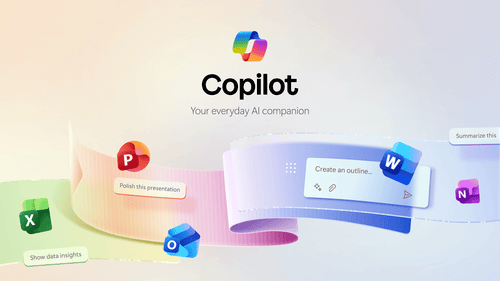
Microsoft is making another move to bring AI deeper into everyday workflows. Starting April 2026, Copilot will become more widely available across Word, Excel, and PowerPoint, but with some important distinctions IT leaders should understand.
Understanding the Impact on Licensed vs. Unlicensed Users
This update affects Microsoft 365 users without a Copilot license. If your organization already has Microsoft 365 Copilot licenses, nothing changes: those users will continue to receive the full, premium experience. For those looking to move beyond the basic version, our Microsoft 365 Copilot pricing and licensing guide breaks down the costs for SMB and Enterprise tiers.

Copilot Access Expands With Built-In Limits
Microsoft is rolling out Copilot with advanced reasoning to core Office apps for unlicensed users. However, access will fall under a standard (limited) usage model, which may include: restricted usage levels to maintain performance, and In-app prompts encouraging users to upgrade.
To make the experience clearer, Microsoft is introducing new labels:
- M365 Copilot (Basic): Limited experience (no license)
- M365 Copilot (Premium): Full experience (licensed users)
As access expands to more users, many IT leaders are asking: Is Microsoft Copilot Secure? Understanding how Microsoft protects corporate data in these AI-enabled apps is critical before a wide rollout.
Key Date to Know: The rollout begins on April 15, 2026.
Why Microsoft Is Making This Move?
This change is part of Microsoft’s broader threefold strategy: Expand awareness and adoption of Copilot across its user base; maintain performance and reliability through controlled access; and drive organizations toward licensed, enterprise-ready AI usage.

How Should Your Organization Prepare?
The good news: no immediate action is required. That said, IT teams should consider a few key steps:
- First, evaluate Copilot licensing for users who need consistent, priority access;
- Second, prepare for increased user inquiries due to in-app upgrade prompts;
- Third, decide whether to allow, manage, or disable Copilot features using existing admin controls.
To identify which users are ready for the upgrade and ensure your data permissions are set correctly, consider a Microsoft 365 Copilot Readiness Assessment.
Limited Access vs. Licensed Value: The Real Trade-Off
Microsoft is lowering the barrier to entry for AI in Microsoft 365, but the real value still lies behind licensing. For organizations, this creates both an opportunity and a decision point: do you enable limited access and let users explore, or invest in full Copilot licensing to unlock productivity gains at scale? If your team is currently using third-party AI tools, it’s worth reviewing the ChatGPT vs. Microsoft Copilot: Key Differences to see why the integrated Microsoft experience offers more value for business.