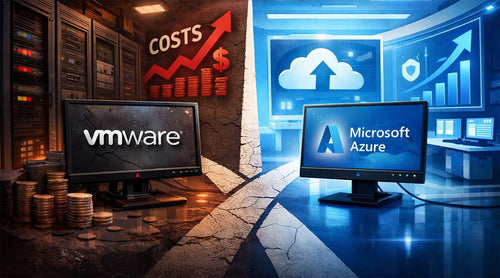
For over a decade, VMware was the undisputed king of the data center. It was the safe choice: the reliable backbone of enterprise virtualization. However, the landscape has shifted. Following Broadcom’s acquisition of VMware, the "safe choice" has become a source of significant financial and operational stress for IT leaders.
With reports of licensing costs skyrocketing between 150% and 1,500%, and the mandatory shift from perpetual licenses to restrictive subscription bundles, many organizations are facing a "renew or rethink" moment.
If you are currently evaluating your infrastructure, the path forward is clear: Azure. Whether you want to modernize completely or keep your existing VMware tools while ditching the hardware, Microsoft Azure offers the most robust escape hatch from rising on-premises costs.

1. Drastically Reduce On-Premises Complexity and Costs
The most immediate driver for the current "VMware Exodus" is the bottom line. Broadcom’s restructuring has eliminated perpetual licensing, forcing customers into bundled subscriptions (like VMware Cloud Foundation) that often include features they don’t need. Additionally, the new 72-core minimum requirement per purchase has effectively priced out many mid-market environments.
The Shift from CapEx to OpEx
On-premises infrastructure is a hungry beast. It requires constant power, cooling, physical security, and a "hardware refresh" cycle every three to five years that demands massive capital expenditure (CapEx). By migrating to Azure, you shift to an operational expenditure (OpEx) model.
The "Azure Advantage" in Licensing
Azure is uniquely positioned to help you swallow the pill of rising costs through:
- Azure Hybrid Benefit (AHB): You can repurpose your existing Windows Server and SQL Server licenses with Software Assurance to pay only the "base compute" rate in Azure. This can save you up to 85% compared to standard pay-as-you-go rates.
- Reserved Instances: By committing to a one- or three-year term for predictable workloads, you can slash costs by another 72%.
- Rightsizing: Unlike on-prem servers that sit 70% idle, Azure allows you to use only what you need, shutting down non-production environments after hours to stop the billing clock.
2. Extend VMware Investments Without Re-architecting (AVS)
The biggest fear in any cloud migration is the "refactoring trap": the need to rewrite application code to fit a new cloud-native environment. For many, this complexity is a deal-breaker.
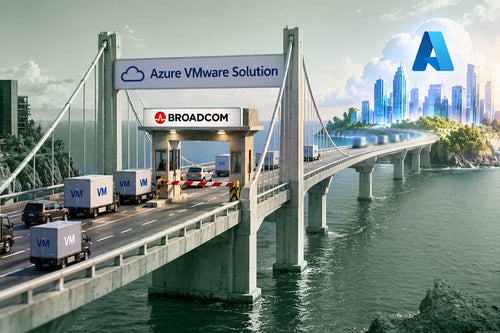
Azure VMware Solution (AVS) solves this. AVS is a first-party Microsoft service that runs the full VMware stack, such as vSphere, vCenter, vSAN, and NSX, natively on Azure hardware.
Why AVS is the "Easy Button":
- No Retraining Needed: Your IT team can continue using the tools they already know. They log into vCenter just as they always have, but the underlying hardware is managed by Microsoft.
- Keep Your IPs: Migration tools like VMware HCX allow you to move VMs to Azure without changing IP addresses, eliminating the need for complex network reconfigurations.
- Speed to Cloud: Because you aren't re-platforming, you can move hundreds of VMs in weeks rather than months, allowing you to exit a data center before your next expensive VMware renewal hits.

3. Unmatched Scalability and Elasticity
In a traditional VMware environment, scaling up means calling a vendor, waiting six weeks for a server to arrive, racking it, and cabling it. In 2026, business moves too fast for that.
On-Demand Growth
Azure provides virtually unlimited resources. If your application experiences a sudden surge in traffic, Azure can automatically scale your compute power to meet demand. Conversely, during slow periods, it scales back down. This elasticity ensures that you never "over-buy" hardware to account for peak loads that only happen 5% of the year.
Agility for Innovation
Moving to Azure isn't just about moving VMs; it’s about what those VMs can do once they get there. By placing your VMware workloads in the Azure ecosystem, you gain immediate access to:
- Azure AI and Machine Learning: Feed your data directly into Azure OpenAI models without the latency of an on-prem-to-cloud connection.
- Modernization Paths: You can gradually move parts of your monolithic VMs into Azure Kubernetes Service (AKS) or Azure App Service at your own pace.
4. Business Continuity and Global Reach
For many VMware users, disaster recovery (DR) is an expensive insurance policy that requires maintaining a second, identical data center that sits idle.
Built-in Resilience
Azure offers a global footprint of over 60 regions. When you migrate, you gain access to:
- Azure Site Recovery (ASR): A native DR-as-a-Service that simplifies replication and failover.
- High Availability: By spreading workloads across Availability Zones (AZs), you ensure that even a localized data center failure won't take your business offline.
- Global Reach: If your company expands to Europe or Asia, you don’t need to build a new data center. You simply deploy your VMware templates into the nearest Azure region, ensuring low latency for your international users.

5. Enterprise-Grade Security and Compliance
Security is the top priority for every CIO in 2026. Microsoft invests over $4 billion annually in cybersecurity, providing a level of protection that no private data center can match.
Unified Governance
When you move VMware to Azure, you can wrap your VMs in Microsoft’s security blanket:
- Microsoft Entra ID (formerly Azure AD): Centralize identity and access management with multi-factor authentication (MFA) across your entire estate.
- Microsoft Defender for Cloud: Get real-time threat protection and vulnerability scanning for your migrated VMs.
- Azure Policy: Enforce governance standards automatically. For example, you can prevent any developer from spinning up an unencrypted disk or a VM in an unauthorized region.
Compliance by Default
Azure holds more than 100 compliance certifications, including HIPAA, GDPR, FedRAMP, and SOC 2. For organizations in highly regulated industries, migrating to Azure removes the massive burden of proving physical hardware compliance during audits.
Pros and Cons at a Glance
| Pros | Cons/Challenges |
|---|---|
| Rapid Migration: AVS requires zero refactoring. | Initial Complexity: Planning network "plumbing" takes expertise. |
| Cost Savings: Azure Hybrid Benefit slashes license fees. | Skills Gap: Teams need to learn Azure-native governance. |
| AI Integration: Direct access to Microsoft’s AI tools. | Governance Risk: Cloud costs can spiral without proper tagging. |
| Data Center Exit: Total elimination of hardware maintenance. | Bandwidth: Large data transfers require robust connectivity. |

Is It Time to Make the Move to Azure?
The acquisition of VMware by Broadcom has fundamentally changed the "physics" of the private cloud. The era of predictable, perpetual licensing is over. Staying on-premises now means accepting higher costs for the same (or less) flexibility.
Migrating to Azure is no longer just a technical upgrade; it is a strategic survival move. By leveraging Azure VMware Solution for a fast exit and then modernizing your workloads over time, you can protect your budget, empower your developers, and future-proof your infrastructure.
Are you ready to see how much you could save?
The first step is a comprehensive assessment. By using the Azure Migrate tool, you can map your current dependencies and get a clear picture of your Total Cost of Ownership (TCO) in the cloud. After that, it’s up to you to decide the best path forward.