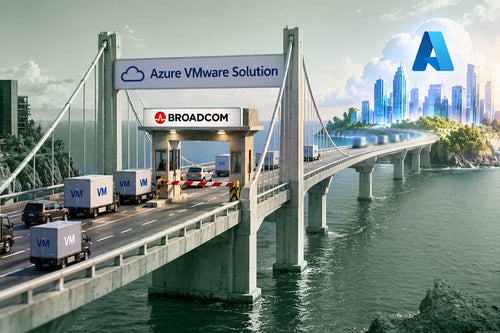
Moving from on-premises infrastructure to the cloud offers dramatic technical, financial, and strategic gains for organizations of all sizes. In fact, this surveys shows 2/3 of IT decision-makers plan to increase cloud spending next year, with cost savings and agility as prime motivators. By migrating servers, storage, and applications off local data centers and into cloud platforms, companies can cut costs, scale effortlessly, boost security, ensure continuity, accelerate innovation, reach global users, and streamline IT operations.
This post breaks down key benefits of cloud migration and backs them with insights from public sources and internal case studies. We’ll also look at real-world examples (from Snapchat to Formula 1 racing) to highlight these advantages. Finally, a side-by-side comparison table will contrast on-premises vs. cloud attributes like cost model, scalability, security, maintenance, innovation, and global reach.
The Cloud: Cheaper, Faster, Reliable
Up to 66% Lower TCO (Total Cost of Ownership)
By migrating on-prem workloads to the cloud, organizations can, in many cases, slash total infrastructure costs by well over half.
80% Faster Processing
Cloud-based high-performance computing cut Formula 1 simulation runtimes by 80% , from 60 hours to 12 hours, accelerating innovation.
99.9% Uptime
Leading cloud providers offer built-in redundancy and disaster recovery with service uptime guarantees up to 99.9% or higher.
Shared Accountability Model via IaaS (Infrastructure-as-a-Service)
This means cloud providers like Microsoft bears the burden of standing up DataCenters for your cloud technology needs while you control 100% of how it’s leveraged. Minimize your costs and only pay for the resources you utilize through the “pay-as-you-go" model.

Case Studies: Snap and F1 Prove the Cloud Advantage
Formula 1’s Accelerated Shift
The elite racing league, Formula 1 moved its on-premises IT to the cloud and saw immediate gains. Using cloud compute power, F1 cut heavy simulation jobs from 60 hours to 12 (an 80% speed improvement) and reduced costs ~30%. Freed from infrastructure constraints, F1’s engineers can run more simulations than ever, iterating car designs faster to gain a competitive edge.
Snap Inc.’s Cloud Win
Snapchat’s parent company migrated 2 exabytes of data to the cloud, instantly gaining a global footprint. The result? Snap saved tens of millions of dollars on storage costs and no user noticed any change during the migration. With data replicated in 20 regions worldwide, Snapchatters now enjoy millisecond access and no lag, even across continents.

Notable Takeaways: On-Prem to Cloud Migration
- Significant Cost Savings: Migrating to the cloud can reduce IT infrastructure costs by up to 66%, thanks to pay-as-you-go pricing and the elimination of large upfront hardware investments.
- Unmatched Scalability and Flexibility: Cloud platforms allow organizations to instantly scale resources up or down based on demand, supporting growth and seasonal spikes without over-provisioning.
- Enhanced Security and Compliance: Leading cloud providers offer advanced security features, regular updates, and compliance certifications that often exceed what most organizations can achieve on-premises.
- Improved Business Continuity and Disaster Recovery: Built-in redundancy, automated backups, and geographic failover in the cloud ensure high availability and rapid recovery from outages or disasters.
- Faster Innovation and Time-to-Market: Teams can quickly provision resources, experiment with new technologies, and adopt cutting-edge services, accelerating product development and innovation cycles.
- Global Reach and Seamless Collaboration: Cloud infrastructure enables worldwide access, allowing businesses to serve global customers with low latency and empower remote teams to collaborate in real time.
- Operational Efficiency: By offloading routine maintenance and infrastructure management to cloud providers, IT teams can focus on strategic projects and business growth.
- Real-World Success Stories: Companies like Snap Inc. and Formula 1 have realized major cost savings, performance boosts, and innovation gains by migrating to the cloud.
- Cloud vs. On-Premises: A Clear Advantage: The cloud offers a more flexible, efficient, and resilient IT environment compared to traditional on-premises setups, making it the preferred choice for modern organizations.
- Migration Requires Planning: While the benefits are substantial, successful cloud migration requires careful planning, especially for legacy systems and regulatory requirements.

On-Premises vs. Cloud: Key Differences at a Glance
To summarize the transformation, here is a side-by-side comparison of on-premises infrastructure versus cloud infrastructure across several key attributes:
| Attribute | On-Premises (Traditional Data Center) | Cloud (Public/Hybrid) |
|---|---|---|
| Cost Model | Large Capital Expenditure (CapEx) upfront for hardware/facilities, plus ongoing fixed costs (power, cooling, IT staff). Often over-provisioned to handle peak loads, meaning you pay for unused capacity. | Pay-as-you-go OpEx model – no upfront hardware purchase, you rent resources. Elastic usage so you only pay for what you use. Lower TCO by offloading infrastructure and optimizing consumption. |
| Scalability | Limited and slow scaling – constrained by physical capacity and upfront costs. Scaling up requires buying/installing new servers (weeks or months) and may lead to excess capacity afterwards. Scaling down is very difficult (you can’t easily sell off half a server rack). | On-demand scalability – can instantly scale up or down by adding/removing cloud resources. Handles spikes automatically (via auto-scaling). No long-term capacity issues – virtually unlimited resources available, adjust in minutes. |
| Security | In-house security – IT must secure everything: physical servers, network, data, and keep up with patches. Security depends on internal expertise and budget. May lack advanced tools or certifications, and updates can lag. Compliance is fully your responsibility. | Provider security – Cloud data centers have dedicated security teams, encryption, and robust perimeter defenses. Regular patching and security updates are handled by the provider. Compliance certifications (ISO, HIPAA, etc.) are often pre-attained, simplifying your compliance. Shared responsibility model adds multiple layers of protection. |
| Maintenance | Hands-on maintenance – You manage all hardware repairs, replacements, and upgrades. Need staff to monitor systems 24/7. Scaling requires manual intervention. Significant time spent “keeping the lights on.” | Managed maintenance – Infrastructure upkeep is handled by the cloud provider (hardware refresh, disk failures, network issues, etc.). Your IT team spends minimal time on basic maintenance. Many tasks can be automated or abstracted (e.g., serverless services). |
| Innovation Potential | Slower to adopt new tech – Trying a new solution requires procuring equipment or installing software on existing systems, which can be slow and costly. Experimentation is limited by available infrastructure. | Fast adoption of new services – Cloud offers a catalog of modern services (AI, analytics, IoT, etc.) ready to use. Spin up environments in minutes to test ideas. Enables rapid experimentation and continuous delivery, accelerating innovation and time-to-market. |
| Global Accessibility | Locally bound – Systems are typically accessed via local network or VPN. Providing low-latency access to global users requires building or co-locating data centers in each region (very expensive). Collaboration tools must be hosted or have users connect to the central site. | Globally distributed – Cloud regions around the world let you deploy applications closer to users for better performance. Users and employees can access services from anywhere over the internet. Built-in collaboration and remote access capabilities support a distributed workforce natively. |
As shown above, on-premises environments demand more capital and manual effort, while cloud environments offer greater flexibility, efficiency, and reach. The cloud’s pay-per-use model and rapid scalability address the cost and capacity shortcomings of on-premises. Its managed security and maintenance offload much of the operational burden from in-house teams, and its global, on-demand nature unlocks new possibilities that fixed local infrastructure cannot match.

Frequently Asked Questions
-
What does “on-prem to cloud migration” mean?
It refers to moving IT infrastructure, applications, and data from local, on-premises servers and data centers to public cloud platforms managed by providers like AWS, Azure, or Google Cloud through an Infrastructure-as-a-Service (IaaS) model. -
What are the main benefits of migrating to the cloud?
Key benefits include lower costs, improved scalability, enhanced security, better business continuity, faster innovation, global reach, and streamlined IT operations. -
How much can my organization save by moving to the cloud?
Thanks to pay-as-you-go pricing, reduced hardware needs, and lower maintenance expenses, organizations can often cut infrastructure costs by up to 66%. -
Is cloud migration suitable for businesses of all sizes?
Yes. Both small businesses and large enterprises can benefit from cloud migration, as cloud platforms offer flexible solutions tailored to different needs and budgets. Whether it be full migration to the cloud, a hybrid model, or a multi-cloud model, the right approach is determined by your business needs and intended outcomes. -
How does cloud migration improve scalability and flexibility?
Cloud platforms allow you to instantly scale resources up or down based on demand, eliminating the need for costly hardware purchases and avoiding over- or under-provisioning. Simply put, Public Clouds like Microsoft Azure own immense Data Centers with resources that can be immediately allocated to their users. -
Is the cloud more secure than on-premises infrastructure?
Leading cloud providers invest heavily in security, offering advanced protections, compliance certifications, and automatic updates that often surpass what most organizations can achieve on-premises. The Public Cloud providers are responsible for hardware-associated security and compliance concerns through a shared-responsibility model.
-
What impact does cloud migration have on business continuity and disaster recovery?
Cloud providers offer built-in redundancy, automated backups, and geographic failover, ensuring high availability and rapid disaster recovery—often with 99.9% uptime guarantees. -
How does moving to the cloud accelerate innovation?
Teams can quickly provision resources, experiment with new technologies, and adopt cutting-edge services (like AI and analytics) without lengthy procurement or setup delays. -
Can cloud migration help my business reach global customers?
Absolutely. Cloud platforms have data centers worldwide, enabling you to deploy applications closer to users for better performance and support remote collaboration for distributed teams. -
What happens to my IT team after migrating to the cloud?
Cloud migration frees IT staff from routine hardware maintenance, allowing them to focus on strategic projects, innovation, and delivering more value to the business.

Conclusion: Cloud Migration as a Catalyst for Growth
Migrating from on-premises to the cloud is a transformative step that delivers multifaceted benefits from slashing IT costs and complexity to supercharging agility and innovation. By embracing the cloud, organizations can reduce upfront spending, dynamically scale with business needs, strengthen their security posture, and ensure business continuity even under duress. Just as importantly, the move allows IT and developers to focus on strategic initiatives rather than routine maintenance, often leading to faster innovation and better alignment with business goals. The real-world examples highlighted Snapchat’s massive cost savings and global performance boost, Formula 1’s accelerated simulations and cost efficiency, and many others demonstrate that these benefits aren’t just buzzwords, but achievable outcomes with a well-executed cloud migration.
In today’s fast-moving digital landscape, the ability to adapt quickly, run securely, and reach users everywhere is no longer a luxury; it’s become a competitive necessity. The cloud provides the platform to do precisely that. Of course, every organization’s journey will differ, and careful planning is needed to address challenges like legacy integration or data migration. But with a solid strategy (and often with help from experienced partners or cloud architects), even highly regulated and traditionally on-prem industries have made the leap, reaping big dividends in efficiency and capability.
 Ready To Optimize Your Cloud Solutions?
In short, moving to the cloud reduces costs, increases agility, strengthens security, improves disaster recovery, and unlocks access to innovation, all while allowing your team to focus on business growth instead of hardware upkeep. It’s a compelling proposition that is driving cloud adoption across the globe. If your organization hasn’t started on this path yet, it may be time to consider how cloud migration can benefit your business. The results could truly be a game-changer.
Resources
TechTarget ESG Report. (2025). Cloud migration cost analysis: AWS vs. on-prem.
Flexera. (2025, March). 2025 state of the cloud report.
Rackspace Technology. (2025, January). 2025 state of the cloud report.
AWS Insights (202). Moving from on premises to the cloud with AWS delivers significant cost savings.